Pinterest Automation can seem complicated when you first hear about it. Many beginners imagine that it requires advanced technical skills, expensive software, or years of marketing experience. In reality, Pinterest Automation can be relatively easy to learn when you understand the basic process and use the right tools.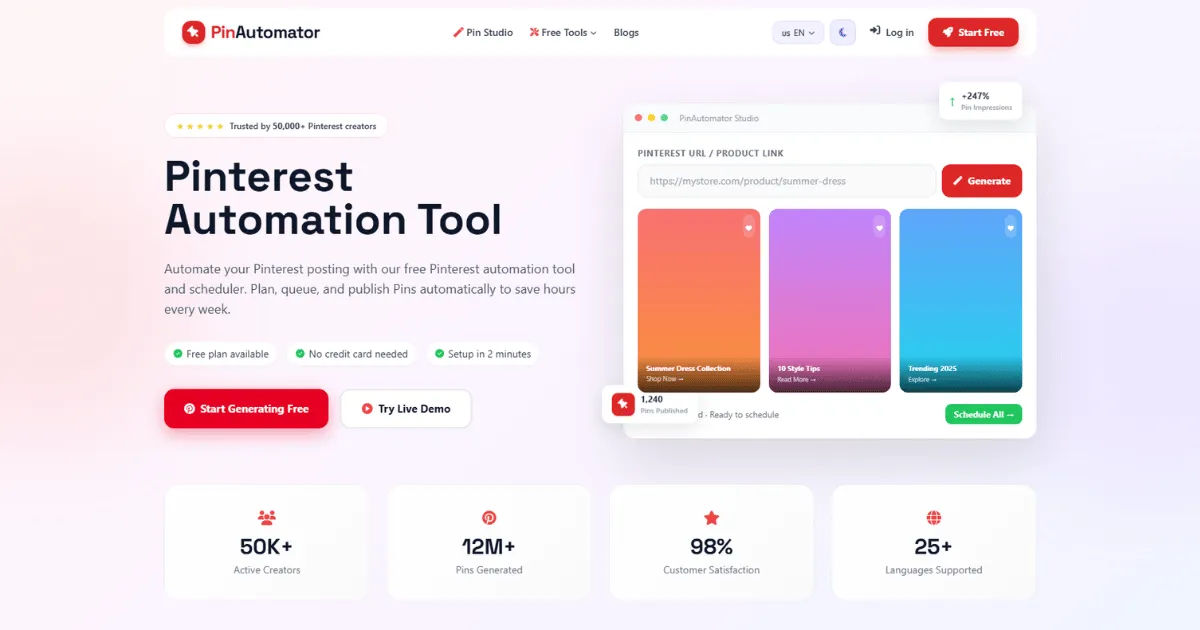
The main idea is simple. Instead of manually creating, scheduling, and publishing every Pinterest Pin, automation allows you to organize and streamline these tasks. Depending on the tools you use, you can prepare content in advance, schedule Pins for future publication, monitor performance, and maintain a consistent presence without spending hours on Pinterest every day.
However, easy does not mean completely effortless. Beginners still need to understand how Pinterest works, what type of content users want, how to create attractive Pins, and how to avoid practices that could hurt account performance. Automation works best when it supports a good Pinterest strategy rather than replacing one.
For someone who is new to Pinterest marketing, learning Pinterest Automation step by step can make the entire process much easier. You do not need to master every feature on your first day. Start with the basics, practice consistently, and gradually build a system that fits your goals.
What Is Pinterest Automation?
Pinterest Automation refers to using tools, software, and organized workflows to reduce the amount of manual work involved in managing a Pinterest account. It can help users schedule content, publish Pins at planned times, organize campaigns, and track results.
Without automation, a Pinterest user may need to log in regularly, create a Pin, write a description, add a destination link, select a board, and publish the content manually. Doing this repeatedly can become time-consuming, especially when managing multiple boards or promoting several pieces of content.
Automation changes this process by allowing you to prepare content ahead of time. You can create several Pins in one session and schedule them for publication throughout the week or month.
The exact level of automation depends on the tools and workflow you choose. Some users automate only scheduling, while others build a more complete system that includes content creation, keyword research, analytics, and reporting.
For beginners, it is usually better to start with simple automation. Scheduling content is often the easiest place to begin. Once you understand how your audience responds, you can introduce additional tools and processes.
Is Pinterest Automation Easy for Beginners?
Yes, Pinterest Automation can be easy for beginners, especially when the process is broken into manageable steps.
The biggest challenge is not usually the automation software itself. Most modern scheduling platforms are designed to be user-friendly. The real challenge is learning Pinterest marketing fundamentals.
A beginner needs to understand the difference between creating content and simply publishing content. Automation can help you publish consistently, but it cannot automatically guarantee that your Pins will be useful, attractive, or relevant to your audience.
Think of automation as a system that handles repetitive tasks. You still need to decide what to publish and why.
For example, imagine you run a food blog. You could create 20 Pins promoting different recipes. Instead of manually posting every Pin, you could schedule them in advance. The automation tool handles publication while you focus on creating new recipes and improving your website.
This is why Pinterest Automation becomes easier once you have a repeatable content system.
Why Beginners Are Interested in Pinterest Automation
Pinterest is different from many traditional social media platforms. It functions as a visual discovery and search platform where users actively look for ideas, inspiration, products, tutorials, recipes, travel plans, and solutions.
This makes Pinterest attractive to bloggers, online businesses, ecommerce stores, creators, and affiliate marketers.
However, maintaining an active Pinterest account can take time. Creating fresh graphics, writing descriptions, researching keywords, and publishing consistently can become difficult for someone who is also managing a website or business.
Automation can reduce this workload.
Instead of spending a few minutes every day publishing individual Pins, you can dedicate one or two focused sessions to preparing content. You can then schedule that content to appear at appropriate times.
For beginners, this creates a more organized approach to Pinterest marketing.
How Does Pinterest Automation Work?
The basic process is straightforward.
First, you create content that you want to promote. This could be a blog article, product page, landing page, recipe, video, or another useful resource.
Next, you create one or more Pins connected to that content. Each Pin should have an attractive visual design and a clear message.
You then write relevant titles and descriptions. Keywords can help Pinterest understand what your content is about, so descriptions should be clear and relevant rather than filled with random phrases.
After that, you select the appropriate Pinterest board and schedule the Pin.
The automation tool then publishes the content according to your schedule.
You can repeat this process for multiple pieces of content.
Over time, you can review your analytics and determine which topics, designs, and content formats perform best.
This creates a simple cycle:
Create content.
Prepare Pins.
Schedule Pins.
Monitor performance.
Improve your strategy.
Repeat the process.
The system is simple enough for beginners to understand, but it can become more advanced as your Pinterest presence grows.
What Tasks Can Be Automated?
Pinterest Automation can support several parts of Pinterest management.
One of the most common uses is scheduling. You can prepare content in advance and schedule it for future publication.
Content organization can also be streamlined. You can create a content calendar that shows which Pins are planned for each day or week.
Some workflows also include performance monitoring. Instead of checking your account randomly, you can review analytics at planned intervals and identify trends.
Another useful area is content distribution. If you have a large library of blog posts, you can create different Pins that promote different articles and organize them into a long-term publishing schedule.
However, not every part of Pinterest marketing should be fully automated.
Creative strategy, audience research, brand decisions, and content quality still require human judgment.
The most effective approach is usually a combination of automation and personal involvement.
The Benefits of Pinterest Automation for Beginners
One major advantage is time savings.
A beginner who manages Pinterest manually may spend a significant amount of time logging in and publishing content. Automation allows you to batch these tasks.
Consistency is another important benefit.
Pinterest marketing generally works better when you maintain a regular publishing schedule rather than appearing active for a few days and then disappearing for several weeks.
Automation can help maintain consistency even when you are busy.
It can also reduce repetitive work.
If you already know which content you want to publish, scheduling it in advance eliminates the need to repeat the same publishing process every day.
Another benefit is better organization.
Instead of keeping content ideas in random notes, you can create a structured calendar. This makes it easier to see what has been published and what is coming next.
Automation can also help beginners develop a professional workflow.
Rather than treating Pinterest as something you manage whenever you have spare time, you can build it into your broader content marketing system.
Can Beginners Use Pinterest Automation Without Technical Skills?
In most cases, yes.
You do not need to know programming or advanced computer science to use basic Pinterest automation tools.
Most scheduling platforms provide visual interfaces where you can upload content, select dates, and manage scheduled posts.
The more important skills are related to content marketing.
You should learn how to create appealing graphics, write clear titles, understand your audience, and identify relevant search terms.
You should also understand basic analytics.
For example, if one type of Pin receives significantly more engagement than another, you should be able to recognize that pattern and adjust your future content.
These are skills that can be learned gradually.
A beginner does not need to become an expert before starting. In fact, practical experience is often one of the best ways to understand what works.
How to Start Pinterest Automation as a Beginner
The best way to start is to keep your system simple.
Begin by defining your goal.
Your goal might be increasing website traffic, promoting products, growing an email list, generating leads, or increasing brand awareness.
Your goal affects the type of content you should create.
Next, identify your audience.
Think about what your ideal Pinterest user is searching for. What problems do they have? What information do they want? What products or ideas interest them?
Once you understand your audience, create content that provides value.
Then create a Pinterest business account if appropriate for your needs. A business account provides access to features and analytics that can be useful for marketing.
Organize your boards around clear topics.
After that, create several Pins for your best content.
You can then choose a scheduling method and begin planning your publishing calendar.
Start with a manageable schedule. It is better to maintain a realistic routine than to create an ambitious schedule that becomes impossible to maintain.
Choosing the Right Automation Tools
Choosing the right tools is an important part of Pinterest Automation.
Beginners should avoid selecting software simply because it has the largest number of features.
A complicated tool can create unnecessary confusion.
Instead, focus on the features you actually need.
A beginner may only need scheduling, content organization, and basic analytics.
Ease of use should also be considered. If a platform takes hours to understand, it may not be the right choice for someone just starting.
Look for tools that integrate smoothly with your workflow.
You should also consider pricing. Some platforms offer free options or limited plans, while others require a monthly subscription.
Do not assume that the most expensive tool will automatically produce better results.
The quality of your content and strategy generally matters more than having the most advanced automation software.
Creating a Pinterest Content Calendar
A content calendar can make Pinterest Automation much easier.
Without a calendar, you may forget what you have published or accidentally repeat similar content too often.
A simple calendar can include the Pin title, destination URL, target keyword, board, publication date, and status.
You can organize your calendar weekly or monthly.
For example, you might spend one afternoon preparing Pins for the next two weeks.
You could create different designs for your articles and organize them according to topic.
The calendar gives you a clear overview of your strategy.
It also makes it easier to identify gaps.
If you notice that you are promoting the same topic repeatedly while ignoring another important category, you can adjust your schedule.
A content calendar does not have to be complicated. Even a basic spreadsheet can be enough for a beginner.
Creating High-Quality Pins
Automation cannot compensate for poor content.
If your Pins are unattractive, confusing, or irrelevant, scheduling more of them will not necessarily improve your results.
A good Pin should communicate its value quickly.
The design should be easy to understand, especially when users are scrolling through many visual results.
Use readable text and a clear visual hierarchy.
Avoid overcrowding the design with too many words.
Your headline should create interest without making unrealistic promises.
For example, instead of writing something vague like "Great Ideas," you could use a more specific title that explains what the user will learn.
The image should also support the topic.
A Pin about home organization should visually communicate organization, storage, or related concepts.
Consistency in design can also help strengthen your brand identity.
Understanding Pinterest Keywords
Pinterest operates heavily around discovery and search.
This means keywords can play an important role in helping users find relevant content.
Before creating Pins, think about the phrases your target audience might search for.
You can research related topics and observe the language commonly used around your niche.
Use relevant keywords naturally in your Pin titles and descriptions.
Avoid keyword stuffing.
The goal is to create useful content for humans while making the topic clear to Pinterest's search system.
Keyword research should influence your content strategy, not just your Pin descriptions.
For example, if you discover that users frequently search for beginner-friendly budgeting ideas, you could create an article and several Pins focused on that topic.
This approach connects search demand with content creation.
How Often Should Beginners Automate Pinterest Posts?
There is no universal posting frequency that works for every account.
Your ideal schedule depends on your content library, audience, niche, and available resources.
A beginner should focus on consistency rather than chasing a specific number of Pins.
If you can realistically create and schedule high-quality content every week, start there.
As your content library grows, you can increase your publishing activity.
The important point is to avoid overwhelming yourself.
Pinterest Automation should make your workflow easier, not turn into another source of stress.
Quality and relevance should remain priorities.
A smaller number of useful Pins can be more valuable than a large volume of repetitive or low-quality content.
Common Pinterest Automation Mistakes Beginners Make
One common mistake is automating too much too quickly.
Beginners sometimes assume that automation means they can create a system and completely ignore their Pinterest account.
That approach can lead to problems.
You should still review your account regularly.
Another mistake is publishing repetitive content.
If every Pin looks identical, users may lose interest.
Creating different designs and angles for your content can make your publishing strategy more engaging.
Some beginners also focus too much on automation tools and not enough on content quality.
The software cannot fix a weak marketing strategy.
Another mistake is ignoring analytics.
If you never review performance, you may continue repeating strategies that are not producing useful results.
Finally, some beginners fail to follow platform guidelines.
Automation should always be used responsibly. Avoid practices that could be considered spammy or manipulative.
Can Pinterest Automation Save Time?
Yes, time savings are one of its biggest advantages.
Imagine that you have ten blog posts to promote.
Without an organized system, you might create a Pin for one article, publish it, then return several days later to repeat the process.
With an automated workflow, you can prepare several Pins in one focused session.
You can then schedule them ahead of time.
This allows you to spend more time on other important activities, such as writing articles, improving your website, researching new topics, or communicating with customers.
The amount of time saved depends on how much content you produce and how organized your workflow is.
For someone with only a few Pins per month, the difference may be small.
For a blogger or business publishing content regularly, the savings can be significant.
Is Pinterest Automation Free?
Pinterest itself provides features that can support scheduling and content management, but many third-party automation and scheduling platforms operate on paid plans.
Some tools may offer free plans with limitations.
The best choice depends on your needs and budget.
Beginners should not feel pressured to purchase expensive software immediately.
Start by learning the platform and understanding your goals.
If your Pinterest activity grows, you can consider investing in tools that save more time or provide advanced functionality.
The goal should be to choose technology that provides genuine value.
Paying for a tool is worthwhile when it saves enough time or improves your workflow. It is not worthwhile simply because it has a long list of features.
How Analytics Improve Pinterest Automation
Analytics are essential because they show what is actually happening.
You can use performance data to understand which content receives attention and which content does not.
Look at patterns rather than focusing on a single Pin.
For example, if several Pins about one topic consistently perform well, that may indicate strong audience interest.
You can then create more content around that subject.
You can also compare different designs.
Perhaps Pins with clear text headlines perform better than designs with minimal text.
These observations can guide your future strategy.
Analytics turn Pinterest Automation from a simple publishing system into a learning process.
You are not just publishing content automatically. You are collecting information and using it to improve your decisions.
How Long Does It Take to Learn Pinterest Automation?
The basic mechanics can be learned relatively quickly.
A beginner may understand scheduling and content organization after a short period of practice.
However, becoming effective at Pinterest marketing takes longer.
There is a difference between knowing how to schedule a Pin and knowing what content will attract the right audience.
You may need several weeks or months to identify patterns.
During this period, experimentation is important.
Try different topics, headlines, designs, and content formats.
Review the results and adjust your approach.
Learning should be viewed as an ongoing process rather than a one-time task.
The good news is that beginners can start small and improve over time.
Does Automation Guarantee Pinterest Success?
No.
This is one of the most important points for beginners to understand.
Automation is a productivity method, not a guarantee of traffic, followers, or revenue.
You can schedule hundreds of Pins, but if those Pins do not offer value or reach the right audience, automation will not solve the problem.
Success depends on several factors.
These include content quality, audience relevance, keyword strategy, visual design, consistency, and the overall quality of the destination website or product.
Automation supports these elements by making the publishing process more efficient.
It does not replace them.
A strong Pinterest strategy uses automation as a tool rather than treating it as the entire strategy.
The Role of Human Creativity in Pinterest Automation
Even highly automated workflows benefit from human creativity.
Pinterest users are looking for ideas and inspiration. Content that feels generic may struggle to attract attention.
Human judgment helps you identify interesting topics and create better visual concepts.
You can also use creativity to develop different angles for the same piece of content.
Suppose you have an article about healthy breakfast recipes.
Instead of creating one generic Pin, you might create different designs focusing on quick breakfasts, high-protein meals, family-friendly recipes, or meal preparation.
The underlying article is the same, but each Pin addresses a different audience interest.
Automation can distribute these Pins efficiently, while creativity makes them valuable.
How Beginners Can Build a Simple Automated Workflow
A simple workflow might begin with weekly content planning.
Choose the articles, products, or pages you want to promote.
Next, create several Pin designs.
Write relevant titles and descriptions.
Assign each Pin to the most appropriate board.
Then schedule the content.
After a few weeks, review your analytics.
Identify your strongest topics and designs.
Use those insights to plan your next batch of content.
This system is simple enough for beginners but flexible enough to grow.
You can later add more sophisticated tools if your needs increase.
The key is to create a workflow that you can maintain consistently.
Pinterest Automation for Bloggers
Bloggers can benefit significantly from automation.
A single blog post can potentially be promoted through multiple visual designs.
For example, a travel blogger could create several Pins for an article about visiting a specific destination.
One Pin could focus on attractions.
Another could highlight travel tips.
A third could promote a packing guide.
A fourth could focus on the best time to visit.
These Pins can be scheduled over time rather than published all at once.
This helps bloggers make better use of their existing content library.
It also reduces the pressure to create a completely new article every time they want to publish something on Pinterest.
Pinterest Automation for Online Businesses
Online businesses can also use automation to support product and content promotion.
An ecommerce store might create Pins for product categories, buying guides, tutorials, and educational content.
A service provider might promote blog posts that answer common customer questions.
The key is to avoid making every Pin feel like a direct advertisement.
Useful educational content can help attract people earlier in the buying journey.
For example, a company selling home organization products might create content about decluttering, storage ideas, and room organization.
These topics can attract users who may eventually become customers.
Automation helps distribute this content consistently.
How to Avoid Spammy Automation
Responsible automation is important.
Publishing large amounts of repetitive content can make an account appear low quality.
Instead of focusing purely on quantity, create useful and relevant Pins.
Avoid copying the same descriptions repeatedly.
Make sure your links lead to relevant pages.
Do not use misleading titles or images simply to generate clicks.
Your goal should be to create a positive experience for users.
Good automation supports quality.
Bad automation simply increases volume.
This distinction is important for beginners who may assume that more automated content always means better results.
How Much Work Does Pinterest Automation Actually Remove?
Automation can remove many repetitive tasks, but it does not eliminate all work.
You still need to research topics.
You still need to create or obtain quality visuals.
You still need to understand your audience.
You should also review analytics and make strategic decisions.
The most accurate way to think about automation is that it changes how you spend your time.
Instead of repeatedly performing routine tasks, you can focus more on strategic and creative work.
For example, you might spend less time manually publishing Pins and more time developing better content.
This can make your overall Pinterest marketing process more productive.
Is Pinterest Automation Worth It for Beginners?
For many beginners, it can be worth using.
The strongest reason is efficiency.
If you plan to publish consistently, scheduling can help you maintain your presence without requiring daily manual effort.
It can also encourage better planning.
Instead of randomly publishing whenever you remember, you can build a predictable content system.
However, beginners should not feel that they must automate everything immediately.
If you are still learning how Pinterest works, spend time understanding the platform first.
Once you have a basic strategy, automation becomes much more useful.
The best time to automate is when you have repetitive tasks that are already clearly defined.
A Practical Beginner Strategy
A beginner can start with a simple 30-day approach.
During the first week, focus on understanding your audience and identifying content topics.
During the second week, create several high-quality Pins.
During the third week, organize and schedule your content.
During the fourth week, review your performance and identify patterns.
This approach provides a foundation for long-term Pinterest Automation.
You can then repeat the cycle each month.
As you gain experience, you can improve your designs, refine your keyword strategy, and expand your content calendar.
The process becomes easier because you are no longer starting from zero every time.
What Should Beginners Automate First?
Scheduling is usually the easiest place to begin.
It is repetitive, predictable, and relatively straightforward.
Once you become comfortable with scheduling, you can improve your content planning system.
You might then automate reporting or use tools that help organize your publishing workflow.
However, keep creative decisions under human control.
Choosing your audience, developing your content strategy, and deciding what your brand should communicate are important responsibilities.
Automation should handle routine processes while you maintain control over important decisions.
This balance allows you to benefit from efficiency without losing authenticity.
How to Make Pinterest Automation More Effective
The best way to improve your results is to combine automation with continuous learning.
Do not simply schedule content and forget about it.
Review your results regularly.
Study which topics receive the most attention.
Look at which designs attract engagement.
Pay attention to the content that generates website visits or other valuable actions.
Then adjust your future strategy.
You should also refresh your content over time.
If an older article remains relevant, consider creating a new Pin design for it.
This can help you continue promoting useful content without constantly producing entirely new material.
The goal is to create a sustainable system that improves gradually.
Conclusion
Pinterest Automation is generally easy enough for beginners to learn, especially when the process is approached step by step. You do not need advanced technical knowledge to begin. Most of the basic tasks involve planning content, creating Pins, writing relevant descriptions, organizing boards, and scheduling publications.
The real learning curve comes from understanding Pinterest marketing rather than operating automation software. Beginners need to learn what their audience wants, how Pinterest users search for information, how to create attractive visual content, and how to evaluate performance.
Automation becomes valuable when it removes repetitive work. Scheduling Pins in advance can save time, improve consistency, and make it easier to maintain a structured publishing routine. Instead of manually managing every post, you can prepare content in batches and allow your chosen system to handle routine publishing tasks.
However, automation should never be viewed as a replacement for strategy. Publishing more content does not automatically lead to better results. Your Pins still need to be useful, visually appealing, relevant, and connected to valuable destination pages.
Beginners should also avoid the temptation to automate everything immediately. Starting with scheduling is often enough. Once you understand your workflow, you can gradually introduce additional tools and processes.
Analytics should also be part of your routine. Performance data can help you understand which topics, designs, and content approaches are producing the best results. By using these insights, you can make your future Pinterest strategy more effective.
The most successful approach combines technology with human creativity. Automation can handle repetitive activities, but people still need to make important decisions about content, branding, audience needs, and strategy.
For bloggers, creators, ecommerce businesses, and service providers, this combination can make Pinterest marketing more manageable. A well-organized system allows you to promote content consistently while spending more time on activities that require creativity and strategic thinking.
Ultimately, Pinterest Automation is not difficult for most beginners when the process is kept simple. Start by defining your goals, understanding your audience, creating valuable content, and building a realistic publishing schedule. Use automation to save time and maintain consistency, but continue monitoring your account and improving your strategy.
With practice, the process becomes more natural. What initially seems complicated can become a straightforward routine: create valuable content, design engaging Pins, schedule them efficiently, review the results, and improve based on what you learn. When used responsibly and combined with a strong content strategy, automation can become a practical way for beginners to manage Pinterest more efficiently and build a sustainable presence over time.