Smartphones have become powerful eugh to support many types of games, from simple puzzles and card games to demanding multiplayer adventures. However, not everyone owns the latest smartphone. Many people continue using older devices because they still work well for everyday activities such as calling, messaging, browsing, and watching videos. This raises an important question: can an older smartphone provide a good gaming experience, or does playing modern games require an expensive new device?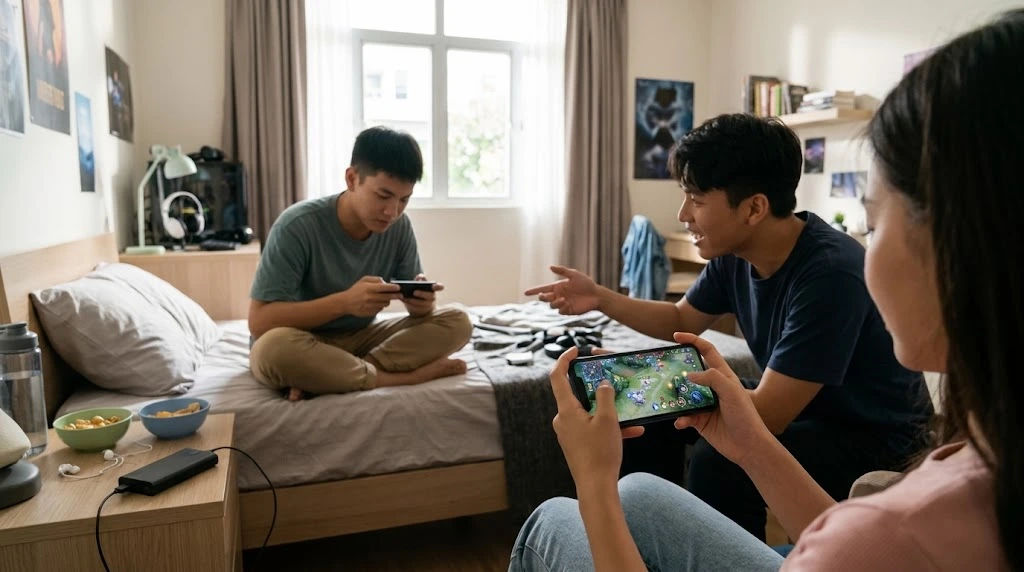
The answer depends on several factors, including the phone's processor, RAM, graphics capabilities, storage space, battery condition, and software compatibility. Some older smartphones can run games smoothly, while others may struggle with slow loading, overheating, or frequent crashes. Understanding these differences helps users make better decisions about their devices and gaming habits. Mobile App Gaming does not always require the newest smartphone because many games are designed to work across different hardware generations.
Whether someone enjoys casual games during breaks or competitive multiplayer experiences, choosing suitable titles and adjusting device settings can make a noticeable difference. Older phones may have limitations, but there are practical ways to improve their performance without immediately spending money on an upgrade.
The Capabilities of Older Smartphones
Older smartphones are not necessarily unsuitable for gaming. Their performance depends on the technology included when they were manufactured and how well their hardware has been maintained.
A phone released several years ago might still have a capable processor, sufficient memory, and a graphics unit that supports many popular games. However, a basic entry-level device from the same period may struggle with demanding applications.
Understanding the main hardware components makes it easier to determine what an older phone can handle.
The Importance of the Processor
The processor is one of the most important components of a smartphone. It handles instructions, calculations, background activities, and many operations required by games.
A stronger processor generally provides faster loading, smoother gameplay, and better multitasking. Older processors may still perform well with lightweight applications, but they can struggle when games require advanced graphics or complicated calculations.
For example, a simple word puzzle requires relatively little processing power. A large racing game with detailed environments, realistic lighting, and multiple moving objects requires considerably more.
Users should check their smartphone's processor specifications before installing demanding games. This helps them understand whether their device can meet the game's minimum requirements.
RAM and Gaming Performance
Random Access Memory, commonly called RAM, temporarily stores information that applications need while running.
When a smartphone has enough RAM, games can operate more smoothly without constantly competing with other applications for available memory.
Older smartphones sometimes have only 2GB or 3GB of RAM. These devices may handle basic games comfortably but struggle with modern titles that require more memory.
Closing unnecessary applications can help free up available RAM. Although this does not increase the phone's actual memory capacity, it reduces competition for resources.
Graphics Processing Capabilities
Graphics processing determines how effectively a smartphone displays visual elements.
Older devices often contain graphics processors that were designed for simpler games. They may have difficulty rendering detailed environments, complex animations, and high-resolution textures.
This does not mean every game will perform poorly. Many developers optimize their applications for different hardware levels.
Choosing games with simple graphics can help older smartphones deliver a more enjoyable experience.
Which Types of Games Can Older Phones Run?
Not all games require advanced hardware. Some applications are specifically designed to operate on modest smartphones, making them suitable for people who do not regularly upgrade their devices.
Understanding different game categories helps users select applications that match their phones' capabilities.
Casual and Puzzle Games
Casual games are usually among the best choices for older smartphones.
These games often feature simple controls, lightweight graphics, and limited processing requirements. Examples include word puzzles, number challenges, matching games, and basic arcade experiences.
Because they generally require fewer resources, they can operate comfortably on many older devices.
They are also useful for people who enjoy short gaming sessions without needing complicated controls or extensive downloads.
Strategy and Board Games
Traditional board games and many strategy applications are another suitable option.
Chess, checkers, card games, and simple management simulations usually place less pressure on smartphone hardware than advanced action games.
Some strategy games include complicated systems and detailed animations, so their requirements can vary. However, many lightweight versions work well on older devices.
These games also provide entertainment without demanding high screen refresh rates or powerful graphics processors.
Racing and Sports Games
Racing and sports applications can vary significantly in their hardware requirements.
Simple racing games with basic environments may work smoothly on older smartphones. However, realistic driving simulations often require stronger processors and graphics capabilities.
The same applies to sports games. A basic football game may perform well, while a detailed three-dimensional sports simulation might cause noticeable lag.
Users should check application requirements before downloading larger titles.
Multiplayer and Online Games
Online games introduce additional requirements because they depend on both device performance and internet connectivity.
Some multiplayer games have lightweight graphics and simple gameplay mechanics. Others require powerful hardware to process detailed environments, animations, and interactions between multiple players.
An older phone may handle certain multiplayer games successfully, provided it has enough RAM, a compatible operating system, and a stable internet connection.
Common Problems Older Phones Experience During Gaming
Although older smartphones can support many games, they may experience performance problems that are less common on newer devices.
Recognizing these issues helps users understand what is happening and how to respond.
Slow Loading Times
One common problem is slow loading.
Older smartphones may use slower storage technology and less powerful processors. As a result, games can take longer to open, load new levels, or display detailed environments.
Large applications may also require additional time to download and install.
Removing unnecessary files and maintaining sufficient free storage can sometimes improve loading performance.
Lag and Frame Drops
Lag occurs when a game does not respond as quickly as expected. Players may notice delayed movements, interrupted animations, or inconsistent performance.
Frame drops happen when the device cannot maintain the game's intended frame rate.
These problems are particularly noticeable in racing, shooting, and competitive multiplayer games because they require quick reactions.
Reducing graphics quality and closing background applications may help reduce interruptions.
Overheating During Gameplay
Older smartphones may become warm when running demanding applications.
Their processors and graphics units generate heat while handling complex tasks. Over time, battery deterioration, accumulated dust around the device, and poor thermal management can make heating problems more noticeable.
Excessive heat may cause the phone to reduce processing performance automatically.
This protective process can result in slower gameplay.
Players should avoid gaming while charging, remove thick cases when appropriate, and take breaks if the phone becomes unusually hot.
Battery Drain
Battery performance naturally changes as smartphones age.
An older battery may hold less charge than it did when the device was new. Demanding games can make this problem more noticeable because they use the processor, graphics unit, screen, and internet connection simultaneously.
Players may experience shorter gaming sessions or sudden battery percentage drops.
If the battery drains unusually quickly, its overall condition may need professional assessment.
How to Improve Gaming Performance on Older Phones
An older smartphone does not always need immediate replacement. Several simple adjustments can improve its ability to run compatible games.
These changes cannot overcome every hardware limitation, but they can help users get better results from their existing devices.
Close Unnecessary Background Applications
Running several applications simultaneously can consume valuable memory and processing power.
Before starting a game, close applications that are not needed. This includes unused social media applications, browsers with multiple tabs, and other resource-intensive programs.
Reducing background activity gives the game more access to available system resources.
However, users should avoid repeatedly forcing essential system applications to close because this can sometimes create additional problems.
Keep Enough Storage Space Available
Smartphones need available storage to install applications, save temporary information, and manage updates.
When storage becomes nearly full, overall device performance may suffer.
Users should remove duplicate photographs, unused downloads, unnecessary applications, and old files.
Moving supported photographs and videos to external storage or a secure cloud service can also create additional space.
Keeping sufficient free storage helps maintain smoother everyday operation.
Reduce Graphics Settings
Many games offer different graphics settings to support smartphones with varying capabilities.
Older devices may benefit from selecting lower graphics quality, reduced shadows, and simpler visual effects.
Players can also lower the frame-rate setting if their devices struggle to maintain consistent performance.
Although the visuals may become less detailed, gameplay can feel more stable and responsive.
This is particularly useful for games that offer adjustable performance options.
Update Games and Compatible Software
Software updates can introduce performance improvements, bug fixes, and security enhancements.
Users should install updates when their smartphones support them and when sufficient storage is available.
However, older devices may no longer receive the latest operating system versions.
In such situations, users should check whether the game supports their existing software.
Installing incompatible applications or unofficial modified versions can create security and stability risks.
The Role of Internet Connectivity
Internet connectivity is especially important for games that require online communication.
An older smartphone may have sufficient hardware to run a multiplayer game but still experience interruptions because of a weak connection.
Understanding the difference between device performance and network performance helps identify the actual problem.
Wi-Fi and Mobile Data
Wi-Fi generally provides a convenient connection for online gaming, especially when the router is nearby and the network is stable.
Mobile data can also support multiplayer experiences, but performance depends on signal strength, network congestion, and available coverage.
A newer mobile network does not automatically make an older smartphone faster.
The phone must support the relevant network technology to benefit from it.
Understanding Latency
Latency refers to the time required for information to travel between the smartphone and the game server.
High latency can cause delayed reactions and interrupted multiplayer experiences.
For example, a player might press a movement button but notice that the character responds after a short delay.
This problem is not necessarily caused by an older processor. Network conditions may be responsible.
Testing the internet connection separately can help users identify the source of the issue.
Compatibility: Can Older Phones Install Modern Games?
Hardware performance is only one part of the equation. Software compatibility also determines whether a smartphone can install and run a particular application.
Game developers establish minimum operating system requirements to ensure their products function correctly.
An older phone may have enough processing power but still be unable to install a modern game because its operating system is no longer supported.
Operating System Requirements
Android and iOS applications are developed for particular software environments.
As operating systems evolve, developers introduce new features and security requirements.
Some games eventually stop supporting older versions because maintaining compatibility becomes difficult.
Before downloading a game, users should check its minimum operating system requirements.
If the device cannot meet those requirements, updating the operating system may help, provided an official update is available.
Application Updates and Support
Games receive updates to improve gameplay, introduce new content, and fix technical problems.
However, updates can increase storage requirements and sometimes demand more processing power.
A game that worked comfortably several years ago might become more demanding after several major updates.
This is why users should periodically review application requirements instead of assuming that an older version of a game will always perform the same way.
Is Mobile App Gaming Worthwhile on an Older Phone?
For many people, using an existing smartphone for entertainment is a practical choice.
Buying a new device solely for gaming may not be necessary, particularly when someone enjoys simple applications rather than demanding competitive titles.
The experience depends on personal expectations and the types of games being played.
Advantages of Using an Older Smartphone
One major advantage is affordability.
Users can enjoy compatible games without purchasing an expensive smartphone.
They can also make better use of a device they already own rather than replacing it unnecessarily.
Older smartphones are often suitable for casual entertainment, educational applications, traditional games, and lightweight multiplayer experiences.
Mobile App Gaming pkr98 advantage is familiarity. People already understand their device's controls, settings, and operating system.
This makes starting a new gaming experience relatively simple.
Limitations Worth Considering
Older phones have certain disadvantages that users should recognize.
They may offer shorter battery life, slower loading, limited storage, and weaker graphics performance.
Some devices also lack modern connectivity features or support for newer applications.
These limitations can become frustrating when playing demanding games that require consistent performance.
Users who prefer high-quality graphics, competitive gameplay, or extended gaming sessions may benefit from a newer smartphone.
When Should You Consider Upgrading Your Smartphone?
An upgrade becomes worth considering when an older device can no longer meet regular gaming requirements.
However, the decision should involve more than simply comparing the phone's age with newer models.
Frequent Crashes and Performance Problems
If games repeatedly crash despite sufficient storage and reasonable settings, the device may be reaching its hardware or software limits.
Persistent freezing, unexpected shutdowns, and severe lag can also indicate that the smartphone is struggling.
Before upgrading, users should check for software problems and battery-related issues.
If the problems continue, replacing the device may be the more practical solution.
Insufficient RAM and Storage
Modern applications can require more memory and storage than older smartphones provide.
If the device regularly closes applications or cannot install important updates, its limitations may affect everyday use as well as gaming.
A newer smartphone with sufficient RAM and storage can provide a more reliable experience.
Choosing a Suitable Replacement
People considering an upgrade should compare specifications rather than focusing only on the phone's price or appearance.
Important features include:
-
A modern, efficient processor.
-
Sufficient RAM for the intended games.
-
A capable graphics processor.
-
Adequate internal storage.
-
A reliable battery.
-
A good-quality display.
-
Long-term software and security support.
Choosing a balanced smartphone is often better than paying extra for features that will rarely be used.
Safety Tips for Gaming on Older Smartphones
Maintaining an older smartphone is important because aging hardware may be more sensitive to demanding applications.
Good habits can help protect the device and improve its reliability.
Avoid Excessive Heat
Do not continue playing if the smartphone becomes unusually hot.
Stop the game and allow the device to cool naturally.
Avoid placing it in direct sunlight or using it under pillows and blankets while gaming.
Never attempt to cool a hot smartphone using a refrigerator or freezer because sudden temperature changes and moisture can damage internal components.
Download Games From Trusted Sources
Unofficial application websites can distribute modified files containing malware or unwanted software.
These files may create security risks, damage system stability, or compromise personal information.
Users should download games from trusted application stores and review permissions before installation.
Protect the Battery
Avoid exposing an older battery to unnecessary heat.
If the smartphone has a swollen battery, unusual odors, or visible physical damage, stop using it and seek professional assistance.
Battery safety should always take priority over uninterrupted gameplay.
What Does the Future Hold for Gaming on Older Smartphones?
Mobile games continue to develop as smartphone technology improves.
Developers are creating increasingly detailed environments, advanced animations, and more complicated gameplay systems.
At the same time, many companies continue producing lightweight applications that can operate on a wide range of devices.
This creates opportunities for people who prefer to keep their existing smartphones.
Better Game Optimization
Game optimization helps applications use available hardware more efficiently.
Developers can adjust graphics, reduce unnecessary background processing, and create different performance profiles.
These improvements allow certain games to support devices with different processing capabilities.
However, optimization cannot completely replace missing hardware features.
More Lightweight Gaming Options
Casual games, cloud-based entertainment services, and simple multiplayer applications provide different ways to enjoy games.
Lightweight applications are particularly useful for people who do not need advanced graphics.
Cloud gaming can also reduce the amount of processing performed directly on a smartphone, although it requires a compatible service, stable internet connection, and a supported device.
It is important to remember that cloud gaming does not eliminate every hardware limitation.
Conclusion
Older smartphones can handle many types of games, but their performance depends on hardware specifications, software compatibility, battery condition, and the requirements of individual applications. While they may not deliver the same experience as modern gaming devices, they can still provide enjoyable entertainment when users choose suitable games and manage their device resources properly.
The processor, RAM, graphics capabilities, and available storage are among the most important factors to consider. Casual games, puzzles, card applications, and lightweight strategy titles are generally more suitable for older devices than demanding three-dimensional games. Understanding these differences helps users avoid unnecessary frustration and select applications that match their smartphones.
Improving performance does not always require spending money. Closing unnecessary applications, freeing storage space, reducing graphics settings, and maintaining updated software can make a meaningful difference. Users should also monitor battery health, avoid overheating, and download applications from trusted sources to protect their devices.
Mobile App Gaming can remain an enjoyable activity even when someone does not own the latest smartphone. The key is to understand the device's limitations and make sensible choices about which applications to install. Not every gaming experience requires advanced graphics or expensive hardware.
However, upgrading becomes a reasonable option when a phone regularly crashes, struggles with compatible applications, has insufficient memory, or experiences serious battery problems. Selecting a replacement with a capable processor, adequate RAM, reliable battery life, and long-term software support can provide a better experience.
Ultimately, older smartphones still have value in the gaming world. With realistic expectations, proper maintenance, and suitable game choices, users can continue enjoying their favorite entertainment without immediately replacing their devices.