When a vehicle reaches the end of its life, many people assume it becomes nothing more than scrap metal. In reality, car wreckers play an essential role in giving vehicles a second life by carefully removing, testing, and reusing valuable parts.
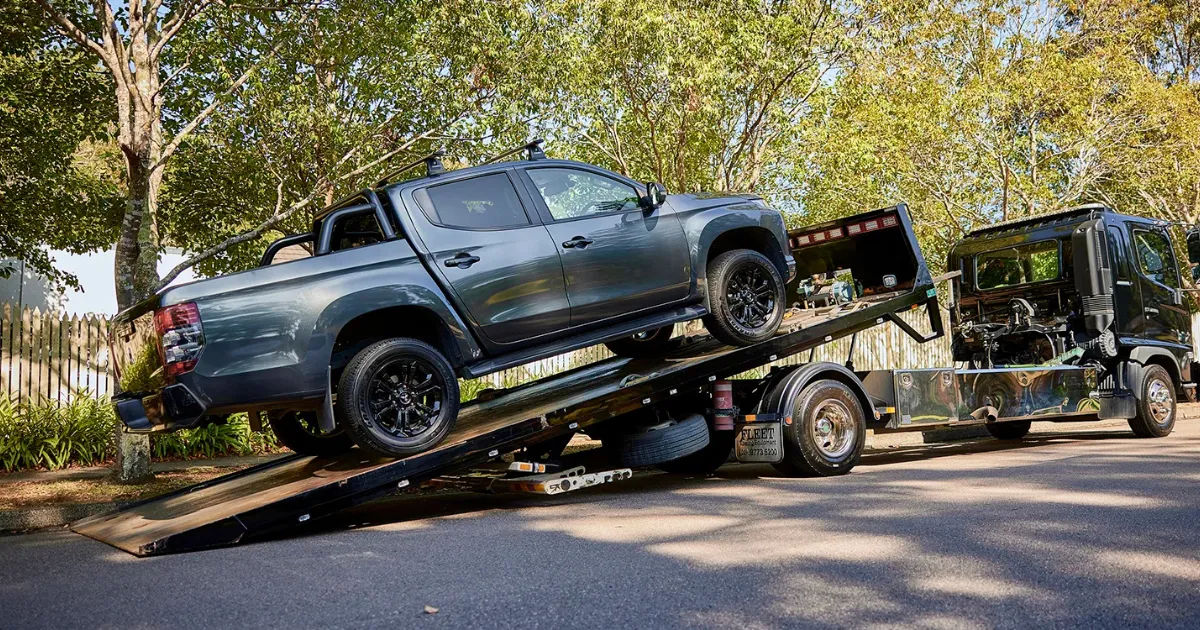
Instead of sending entire cars to landfills, car wreckers recover components that are still in excellent condition, making vehicle repairs more affordable while reducing environmental waste.
Whether a car has been damaged in an accident, suffered mechanical failure, or simply become too old to maintain, many of its parts can still be reused. From engines and transmissions to mirrors, doors, batteries, and electronics, thousands of components can find a new purpose. This process supports the automotive industry, saves natural resources, and helps vehicle owners reduce repair costs.
This guide explains how used car wreckers reuse parts, why the process matters, and how it benefits both consumers and the environment.
The Role of Used Car Wreckers
Used vehicle recycling is much more than collecting old cars. Professional dismantling businesses inspect every vehicle carefully before deciding which parts can be reused, recycled, or responsibly disposed of.
Their primary goal is to recover as many usable components as possible while ensuring environmental regulations are followed.
The process typically includes:
- Purchasing unwanted vehicles
- Inspecting overall vehicle condition
- Removing reusable parts
- Testing components
- Cleaning and refurbishing parts
- Recycling damaged materials
- Selling quality used parts
This systematic approach ensures valuable automotive components continue serving drivers for many years.
Why Reusing Car Parts Matters
Modern vehicles contain thousands of individual components manufactured using steel, aluminum, copper, plastic, rubber, and rare minerals. Producing these materials requires significant amounts of energy.
Reusing existing components helps reduce:
- Manufacturing emissions
- Mining activities
- Industrial waste
- Landfill usage
- Repair costs
Every reused part extends the useful life of materials that would otherwise become waste.
The Journey of an End-of-Life Vehicle
Every vehicle follows several important stages before reusable parts reach another customer.
Vehicle Collection
Owners sell damaged, old, unwanted, or non-running vehicles to dismantling facilities.
Vehicles may arrive because of:
- Accident damage
- Engine failure
- Flood damage
- Fire damage
- Old age
- Insurance write-offs
Not every vehicle is completely unusable. Many still contain hundreds of working components.
Initial Inspection
Experienced technicians inspect the vehicle thoroughly.
They evaluate:
- Engine condition
- Transmission
- Suspension
- Steering
- Electrical systems
- Interior condition
- Exterior panels
- Wheels
- Safety systems
This inspection determines which components are suitable for resale.
Careful Dismantling Process
Professional dismantling is a skilled job rather than simply tearing a vehicle apart.
Technicians use specialized tools to remove parts without causing damage.
Popular reusable components include:
- Engines
- Gearboxes
- Alternators
- Starters
- Radiators
- Air conditioning compressors
- Doors
- Fenders
- Bonnets
- Tailgates
- Mirrors
- Headlights
- Taillights
- Seats
- Steering wheels
Each part is labeled for future identification.
Fluids Are Safely Removed
Before dismantling continues, hazardous automotive fluids must be removed safely.
These include:
- Engine oil
- Brake fluid
- Coolant
- Fuel
- Transmission fluid
- Power steering fluid
- Windshield washer fluid
Proper drainage prevents environmental contamination.
Many fluids are recycled or processed according to environmental regulations.
Testing Reusable Parts
Not every removed component is automatically sold.
Quality inspections ensure customers receive reliable parts.
Technicians commonly test:
Engines
Compression tests verify engine health.
Leaks and internal wear are carefully checked.
Transmissions
Gear changes are inspected for smooth operation.
Any signs of excessive wear may disqualify the transmission from resale.
Electrical Components
Alternators
Starters
Sensors
Control modules
Power window motors
These parts undergo electrical testing before approval.
Batteries
Healthy batteries may be reconditioned after testing voltage and charging performance.
Cleaning and Refurbishment
Many reusable components receive cleaning before entering inventory.
Cleaning includes:
- Removing grease
- Pressure washing
- Rust treatment
- Dust removal
- Surface polishing
Some parts receive minor refurbishment.
For example:
- New seals
- Replacement bearings
- Fresh paint
- New gaskets
This improves reliability and appearance.
Inventory Management
Large dismantling facilities store thousands of parts.
Every item receives:
- Part number
- Vehicle model
- Year
- Mileage
- Compatibility details
- Inspection notes
Modern inventory software allows customers to quickly locate compatible parts.
Most Commonly Reused Parts
Some components remain highly desirable because they retain value even after years of use.
Engines
Many engines last well beyond 250,000 kilometers.
A properly maintained used engine can offer excellent performance at a fraction of new replacement costs.
Transmissions
Automatic and manual transmissions are expensive to replace.
Used options provide significant savings.
Wheels and Tires
Undamaged alloy wheels are always in demand.
Nearly new tires with safe tread depth may also be reused.
Body Panels
Minor accidents often damage only one side of a vehicle.
Doors
Fenders
Bonnets
Bumpers
Tailgates
These components are commonly reused after inspection.
Lighting Components
Headlights and taillights are among the most requested replacement parts.
Original factory lighting often fits better than aftermarket alternatives.
Interior Components
Seats
Dashboards
Door trims
Consoles
Seat belts
Steering wheels
These parts often remain in excellent condition despite vehicle age.
Electronic Modules
Today's vehicles contain sophisticated electronics.
Common reusable electronics include:
- Navigation systems
- ECUs
- Infotainment systems
- Parking sensors
- Climate control modules
These components can be extremely expensive when purchased new.
Metal Recycling After Parts Removal
After reusable components have been removed, the remaining shell still has value.
The metal body is crushed and transported to recycling facilities.
Steel recycling helps conserve:
- Iron ore
- Coal
- Energy
- Manufacturing resources
Recycled metal eventually becomes new vehicles, appliances, and construction materials.
Plastic Recycling
Modern vehicles contain numerous plastic components.
Examples include:
- Dashboards
- Door panels
- Bumpers
- Interior trim
- Storage compartments
Many plastics are shredded and processed into new products.
Glass Recycling
Vehicle glass can also be recycled.
Windshields
Rear windows
Side windows
These materials may become:
- New automotive glass
- Construction materials
- Industrial glass products
Rubber Recycling
Old tires have multiple uses.
Recycled rubber may become:
- Playground surfaces
- Athletic tracks
- Road construction materials
- Garden mulch
- Flooring products
This reduces landfill waste.
Catalytic Converter Recycling
Catalytic converters contain valuable precious metals including:
- Platinum
- Palladium
- Rhodium
These metals are extracted and reused in manufacturing.
Because of their value, catalytic converters receive special handling.
Environmental Benefits
Vehicle recycling provides numerous environmental advantages.
Reduced Landfill Waste
Millions of automotive components avoid ending up in landfills each year.
Lower Carbon Emissions
Manufacturing new parts consumes significantly more energy than reusing existing ones.
Every reused component reduces industrial emissions.
Conservation of Natural Resources
Mining raw materials creates environmental disruption.
Reusing automotive parts helps conserve:
- Steel
- Aluminum
- Copper
- Rubber
- Plastic
Less Manufacturing Waste
Factories produce emissions, wastewater, and industrial waste.
Extending component life reduces manufacturing demand.
Financial Benefits for Vehicle Owners
Consumers save money in several ways.
Affordable Repairs
Used parts often cost much less than brand-new replacements.
This makes repairs economical for older vehicles.
Better Value
Original manufacturer parts usually offer better fit and durability than many low-cost aftermarket products.
Insurance Savings
Repair shops sometimes use quality recycled components during approved repairs.
This can reduce insurance claim costs.
Benefits for Repair Workshops
Repair businesses also benefit.
Advantages include:
- Faster access to discontinued parts
- Lower repair expenses
- More repair options
- Increased customer satisfaction
- Better inventory availability
Many workshops work closely with dismantling businesses.
Supporting the Circular Economy
The automotive industry increasingly embraces sustainable practices.
Instead of producing, using, and discarding products, materials remain in circulation for longer.
Vehicle recycling perfectly demonstrates this circular economy by extending product life before final recycling.
Challenges in Reusing Parts
Despite its many advantages, several challenges exist.
Compatibility
Different model years often use different components.
Professional identification ensures customers receive compatible parts.
Wear and Tear
Some components naturally wear out over time.
Inspection helps eliminate unreliable parts from resale.
Electronic Programming
Modern vehicles require software matching for certain modules.
Professional installation may be necessary.
Choosing Quality Recycled Parts
Buyers should always inspect:
- Warranty availability
- Part condition
- Compatibility
- Mileage
- Testing records
- Return policy
These factors increase confidence in used purchases.
Industries That Benefit
Many industries depend on recycled automotive components.
These include:
- Auto repair shops
- Restoration businesses
- Fleet operators
- Car dealerships
- Insurance companies
- Export businesses
The demand for quality recycled parts continues growing worldwide.
Future of Automotive Recycling
Technology continues improving vehicle dismantling.
Future developments include:
Digital Inventory Systems
Computerized tracking helps customers locate parts instantly.
Better Testing Equipment
Advanced diagnostic tools improve quality control.
Electric Vehicle Recycling
As electric vehicles become more common, dismantling businesses are developing methods to safely recover:
- Battery packs
- Electric motors
- Charging systems
- Power electronics
Battery recycling will become one of the industry's fastest-growing sectors.
Greater Sustainability
Governments and manufacturers increasingly support recycling initiatives.
Future recycling methods will likely recover even more materials from every vehicle.
Tips Before Buying Recycled Vehicle Parts
Before purchasing a used automotive component, consider these recommendations:
- Confirm the exact part number.
- Check the vehicle's make, model, and production year.
- Ask whether the part has been tested.
- Inspect the condition whenever possible.
- Request information about any warranty offered.
- Ensure the seller has a good reputation.
- Compare prices with new replacement parts.
- Verify installation requirements before purchasing.
Following these simple steps helps ensure a successful repair while maximizing the value of recycled components.
Common Myths About Used Car Parts
Many people hesitate to purchase recycled vehicle parts because of common misconceptions.
Myth 1: Used Parts Are Always Worn Out
Professional inspections eliminate many damaged components. Numerous recycled parts have years of useful service remaining.
Myth 2: They Are Unsafe
Quality-tested components that meet industry standards can perform reliably when properly installed.
Myth 3: New Parts Are Always Better
In many cases, original manufacturer parts removed from another vehicle provide a better fit than inexpensive aftermarket alternatives.
Myth 4: Recycled Parts Are Difficult to Find
Modern inventory systems allow dismantling businesses to quickly locate compatible parts for many vehicle makes and models.
Understanding these facts helps buyers make informed decisions while reducing repair costs.
Conclusion
Used car wreckers play a vital role in today's automotive industry by transforming unwanted vehicles into valuable sources of reusable parts. Instead of allowing damaged or aging vehicles to become waste, they carefully inspect, dismantle, test, clean, and catalog thousands of components that can continue serving drivers for many years. This process reduces manufacturing demand, conserves natural resources, lowers greenhouse gas emissions, and keeps significant amounts of material out of landfills.
For vehicle owners, purchasing recycled parts offers an affordable alternative to buying new components without sacrificing quality when sourced from reputable suppliers. Repair shops also benefit from improved access to original manufacturer parts, especially for older or discontinued vehicles. As technology advances and electric vehicles become more common, the recycling industry will continue developing safer and more efficient methods for recovering valuable materials.
Ultimately, car wreckers contribute to a more sustainable automotive future by extending the life of usable parts, supporting the circular economy, and helping protect the environment while making vehicle ownership more affordable. Choosing recycled automotive components whenever appropriate is a practical decision that benefits consumers, businesses, and the planet alike.